LiveBinders Tips & Tricks

Our New Look – Coming February 19!
Thanks to all of your wonderful feedback, we have begun making changes to the overall look of the website. Our objective with this release is to make navigation easier and your binder shelves more accessible. Here is just a glimpse of what the website will look like and highlights of some of the changes. Color […]
Our New iPad App
Thanks to feedback from our community, we are proud to announce the first version of our iPad app! Our iPad app allows you to stay logged into your account and quickly access your binders and your custom shelves. The app will launch your binder in play or edit mode in the Safari browser where you […]
Changes in iPad Support and Our Present Feature
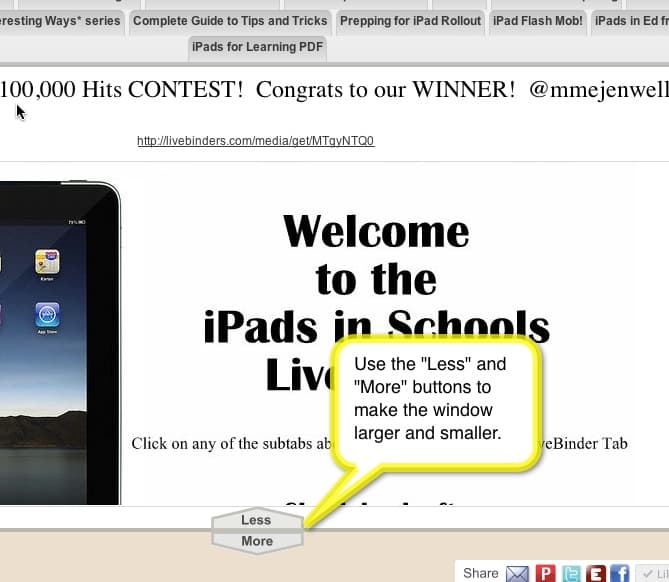
We have two small changes to talk about today. The first is for the iPad. Previously you were not able to scroll content in the iPad. We have implemented a short-term fix for this by adding “Less” and “More” buttons at the bottom of the window on the iPad. By clicking on these buttons, you […]

Some Libraries You Just Have to See
Tina and I are always awestruck at the amazing binders that are assembled by the LiveBinders’ community. I know lots of teachers who search for binders first before trying to create their own lesson plans. I thought I would take a minute to showcase some of the amazing teachers, principals, educational consultants, technology coordinators, and […]

A Couple of Changes to the “LiveBinder It” Bookmarklet
We just did a couple of updates to “LiveBinder It” that you may notice the next time you use it. Someone in our LiveBinders community pointed out that if you save a page to a subtab with “LiveBinder It”, we used to remove that part of the menu after it was done saving. This may […]
The All-Important Conference Handout
I know that when I speak at conferences that the most common questions are: “Can I have a copy of your slides?” and “Can you provide that url again?” Conference handouts are a very important part of your presentation. Your talk is often so information rich that it can’t possibly be adequately absorbed in just […]
Great Video of How to Use New LiveBinders Features
Dean Mantz created a great video on how to use the recently announced features in LiveBinders. [youtube=http://www.youtube.com/watch?v=1nkFaXRPeQc&feature=youtu.be] You may also want to check out scling’s binder on embedded all sorts of fun things into a LiveBinder: A Guide on Embedding Objects and HTML Editor
Visual Subtabs
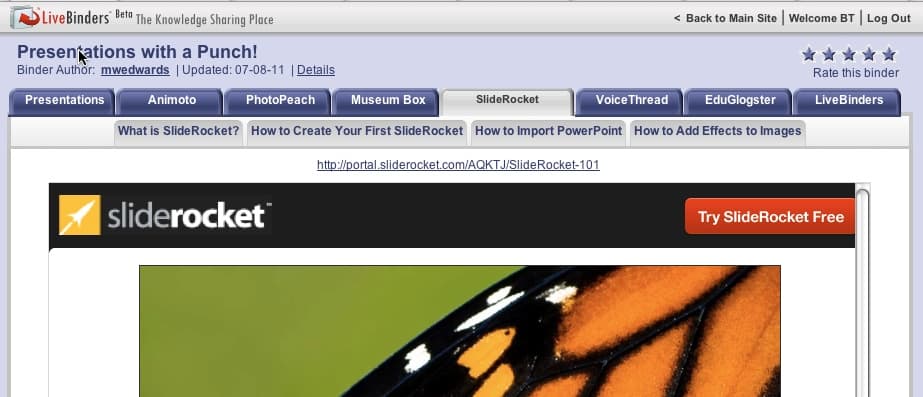
We love our LiveBinders community! Everyone always has helpful suggestions and ideas on how to improve LiveBinders. This one was requested by many of you. You felt like the subtabs were not visible enough in the binder. We polled a few of the people in our community with some ideas and this was the design […]

New Text Editor in LiveBinders
We are very excited to announce our new text editor in LiveBinders. You can now easily insert links and pictures into the text sections on LiveBinders. This is a quick look, but we will create a tutorial for this soon. Thank you to everyone who asked for this feature, we appreciate hearing from you!

Create Your Own Binder Collections with Shelves!
We are very pleased to announce this feature since so many of you have requested it! Now you can create your own shelves to organize not only your binders, but other people’s binders as well. Here are some reasons that you might want to create shelves: To collaborate with a group on multiple binders To […]

And the winners are…
First, congratulations to all of the 29 LiveBinder entries – out of over 100,000 binders, your binders were selected as a Top 10 Contender and that’s worth mentioning! And to our Top 10 Favorite LiveBinder winners – double Congratulations are in order!! For Barbara and I, it was so much fun to see the good […]
Vote for Your Favorite LiveBinder
With over 100,000 binders in LiveBinders, we want to make sure everyone sees the really great binders. Thank you for all the nominations! Now you can vote for your favorite LiveBinder here. Nominations for Your Favorite LiveBinder Results will be announced at ISTE 2011.