Download an Offline Version of Your Binder
Run a browser version of your binder without needing a WiFi connection.
What is an Offline Binder: (Not a PDF)
We do not offer a PDF version of your binder, but we do provide a ZIP copy that can run from your browser.
Offline binders are useful when you want to archive your online binders on your local drive. You can also use offline binders to present your binder where the internet is not available.
How it works:
When you trigger a download copy, a ZIP file is provided where you can extract all of your uploaded files to your local drive and then when you click on the HTML link provided in your folder, it will open your binder from your default browser.
All uploaded files will load from your local drive’s folder. However, if you have any website URLs in your binder, you must have a WiFi connection for those links to display in the binder.
What to expect from your offline binder:
- We provide a zip file of your offline copy that you extract to your local drive
- Your offline binder will display through a browser
- Your offline binder will look the same as your online binder
- All of the uploaded documents are included
- All text added to your binder are included
- Web site links in the binder will only display with an internet connection
- The Tab Search box is available
- Table of Contents in the 1st or 2nd tab position works
- The Options menu in the offline binder is not available
- The binder editor is not available offline; if you need to edit your binder, you will need to edit it online and download a new version
Note: The offline binder option is only available with a Pro or Team level subscription.
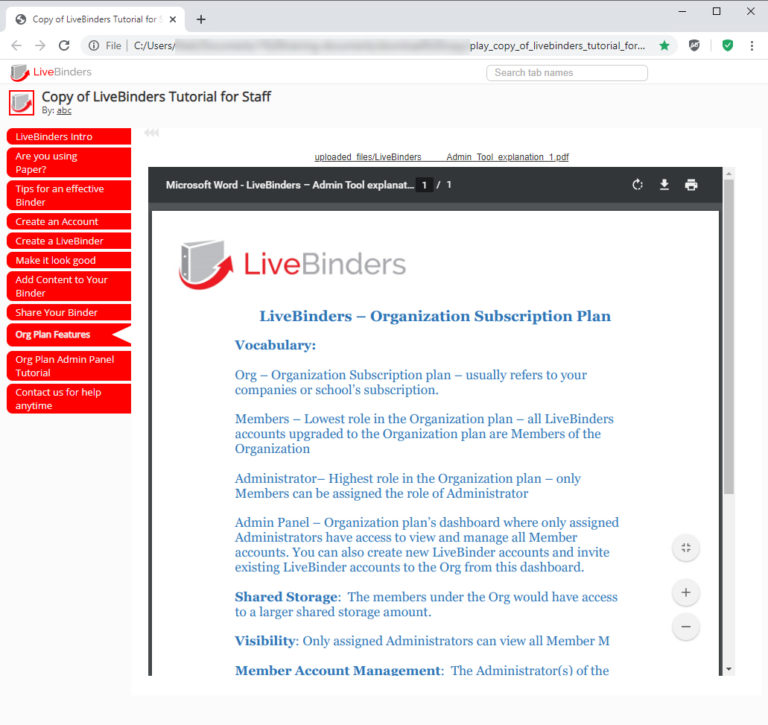
This is a screenshot of a offline version of a LiveBinder. Learn more and see instruction videos here.