Tame Your Digital Life with Digital Binders!
Keep Your Resources Organized, Accessible, and Context-Rich
LiveBinders is the go-to platform for administrators, educators, and teams who need to centralize, organize, and share resources without losing context or clarity. Unlike traditional file folders, LiveBinders lets you package diverse content—documents, links, videos, presentations, and more—into a structured, easy-to-navigate digital binder.
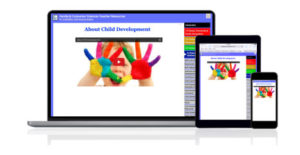
Why LiveBinders?
✅ Transform Chaos into Clarity – Say goodbye to scattered files and endless email attachments. LiveBinders brings all your materials together in a visually structured format that keeps your audience engaged.
✅ Context-Rich Organization – Tabs, sub-tabs, color coding, and cover designs make it easy for your audience to understand your message at a glance—no more lost context like with plain hyperlinks.
✅ Real-Time Updates, Zero Hassle – Make changes anytime, from anywhere. No need to resend links or republish files—your audience always sees the latest version.
✅ Build Your Own Knowledge Hub – Save and organize your binders into binder shelves, creating a lasting library of resources that grows with your needs. Embed your binders on your website for effortless access.
Who Benefits from LiveBinders?
- Administrators – Centralize access to policies, training materials, and key resources for your team.
- Educators – Share lesson plans, student resources, and professional development materials in a structured, easy-to-navigate format.
- Teams & Organizations – Keep project materials, reports, and collaborative documents in one place, accessible anytime.
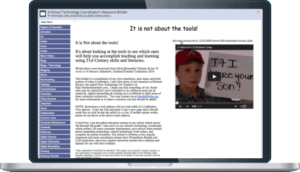
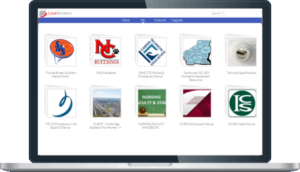
See LiveBinders in Action
Are you looking for a better way to centralize and share resources? Sign up for a free demo to see if LiveBinders is the right fit for your needs.