You are at your free binder limit!


You have requested to download the following binder:
Username:Please log in to add this binder to your shelf.

Name: 21 Ways to Reach Today's Learner with Discovery Education
Binder ID: 107610






LiveBinders Software Service Agreement
Cancel at Anytime
Uploaded documents are not secured with the free service. With a subscription, document uploads are locked to a binder and not accessible outside the binder. Please see our document security page for more information.
We answer all support queries through email or twitter. Premium support guarantees a response to your question within 24 hours.
Collaborators can upload to a binder owner's account as long as both the collaborator and the binder owner are subscribers.
This feature is useful for organizations and individuals who want to control a binder's content centrally.
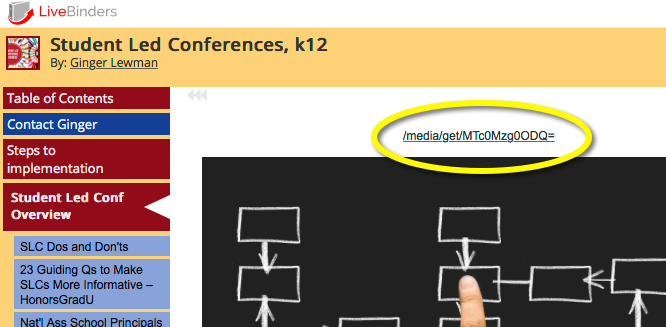
Want a cleaner looking tab page? Upgrade to a Pro plan and hide the URL that is displayed above the content.
This feature is useful when you have mostly uploaded files in your binder.
You can share your binder via email inside the LiveBinders system and we will send your binder icon to the people you wish to share it with.
You can choose to display or remove views, rating, comments, and the link to featured binder from your binder when it is viewed.
You can choose to display or remove the url that appears above the content in each tab in the binder.
You can create new accounts, manage passwords, change email addresses on accounts, assign storage allocation, and view all binders/media objects for each user.
Members can assign group access to binders known as "Limited" access. This is like 'private' access but accessible to anyone in the Organization without needing an access key.
You can set up individual storage allocations for different accounts. Shared storage gives members in the organization flexibility as some members will use more storage than others.
LiveBinders always puts a link to any embedded content above the content which lets people open the content in a separate window. You can optionally remove this link with any subscription plan.
LiveBinders are not indexed by search engines. With your subscription account, your public LiveBinders will be indexed by search engines automatically. For more information about search engine optimization, please see this page.
You can create an offline or archived version of your binder that will run without an Internet connection. Ideal for binders with uploaded files. Any web links in the binder will require an Internet connection to view.
Uploaded documents are not secured with the free service. With a subscription, document uploads are locked to a binder and not accessible outside the binder. Please see our document security page for more information.
We answer all support queries through email or twitter. Premium support guarantees a response to your question within 24 hours.
Collaborators can upload to a binder owner's account as long as both the collaborator and the binder owner are subscribers.
This feature is useful for organizations and individuals who want to control a binder's content centrally.
Want a cleaner looking tab page? Upgrade to a Pro plan and hide the URL that is displayed above the content.
This feature is useful when you have mostly uploaded files in your binder.
You can share your binder via email inside the LiveBinders system and we will send your binder icon to the people you wish to share it with.
You can choose to display or remove views, rating, comments, and the link to featured binder from your binder when it is viewed.
You can choose to display or remove the url that appears above the content in each tab in the binder.
You can create new accounts, manage passwords, change email addresses on accounts, assign storage allocation, and view all binders/media objects for each user.
Members can assign group access to binders known as "Limited" access. This is like 'private' access but accessible to anyone in the Organization without needing an access key.
You can set up individual storage allocations for different accounts. Shared storage gives members in the organization flexibility as some members will use more storage than others.
LiveBinders always puts a link to any embedded content above the content which lets people open the content in a separate window. You can optionally remove this link with any subscription plan.
LiveBinders are not indexed by search engines. With your subscription account, your public LiveBinders will be indexed by search engines automatically. For more information about search engine optimization, please see this page.
You can create an offline or archived version of your binder that will run without an Internet connection. Ideal for binders with uploaded files. Any web links in the binder will require an Internet connection to view.
Uploaded documents are not secured with the free service. With a subscription, document uploads are locked to a binder and not accessible outside the binder. Please see our document security page for more information.
We answer all support queries through email or twitter. Premium support guarantees a response to your question within 24 hours.
Collaborators can upload to a binder owner's account as long as both the collaborator and the binder owner are subscribers.
This feature is useful for organizations and individuals who want to control a binder's content centrally.
Want a cleaner looking tab page? Upgrade to a Pro plan and hide the URL that is displayed above the content.
This feature is useful when you have mostly uploaded files in your binder.
You can share your binder via email inside the LiveBinders system and we will send your binder icon to the people you wish to share it with.
You can choose to display or remove views, rating, comments, and the link to featured binder from your binder when it is viewed.
You can choose to display or remove the url that appears above the content in each tab in the binder.
You can create new accounts, manage passwords, change email addresses on accounts, assign storage allocation, and view all binders/media objects for each user.
Members can assign group access to binders known as "Limited" access. This is like 'private' access but accessible to anyone in the Organization without needing an access key.
You can set up individual storage allocations for different accounts. Shared storage gives members in the organization flexibility as some members will use more storage than others.
LiveBinders always puts a link to any embedded content above the content which lets people open the content in a separate window. You can optionally remove this link with any subscription plan.
LiveBinders are not indexed by search engines. With your subscription account, your public LiveBinders will be indexed by search engines automatically. For more information about search engine optimization, please see this page.
You can create an offline or archived version of your binder that will run without an Internet connection. Ideal for binders with uploaded files. Any web links in the binder will require an Internet connection to view.
LiveBinders Software Service Agreement
Cancel at Anytime
Uploaded documents are not secured with the free service. With a subscription, document uploads are locked to a binder and not accessible outside the binder. Please see our document security page for more information.
We answer all support queries through email or twitter. Premium support guarantees a response to your question within 24 hours.
Collaborators can upload to a binder owner's account as long as both the collaborator and the binder owner are subscribers.
This feature is useful for organizations and individuals who want to control a binder's content centrally.
Want a cleaner looking tab page? Upgrade to a Pro plan and hide the URL that is displayed above the content.
This feature is useful when you have mostly uploaded files in your binder.
You can share your binder via email inside the LiveBinders system and we will send your binder icon to the people you wish to share it with.
You can choose to display or remove views, rating, comments, and the link to featured binder from your binder when it is viewed.
You can choose to display or remove the url that appears above the content in each tab in the binder.
You can create new accounts, manage passwords, change email addresses on accounts, assign storage allocation, and view all binders/media objects for each user.
Members can assign group access to binders known as "Limited" access. This is like 'private' access but accessible to anyone in the Organization without needing an access key.
You can set up individual storage allocations for different accounts. Shared storage gives members in the organization flexibility as some members will use more storage than others.
LiveBinders always puts a link to any embedded content above the content which lets people open the content in a separate window. You can optionally remove this link with any subscription plan.
LiveBinders are not indexed by search engines. With your subscription account, your public LiveBinders will be indexed by search engines automatically. For more information about search engine optimization, please see this page.
You can create an offline or archived version of your binder that will run without an Internet connection. Ideal for binders with uploaded files. Any web links in the binder will require an Internet connection to view.
LiveBinders Software Service Agreement
Cancel at Anytime